Setting up calculated values parameters
2026-09-17_10-35.png

Step 1
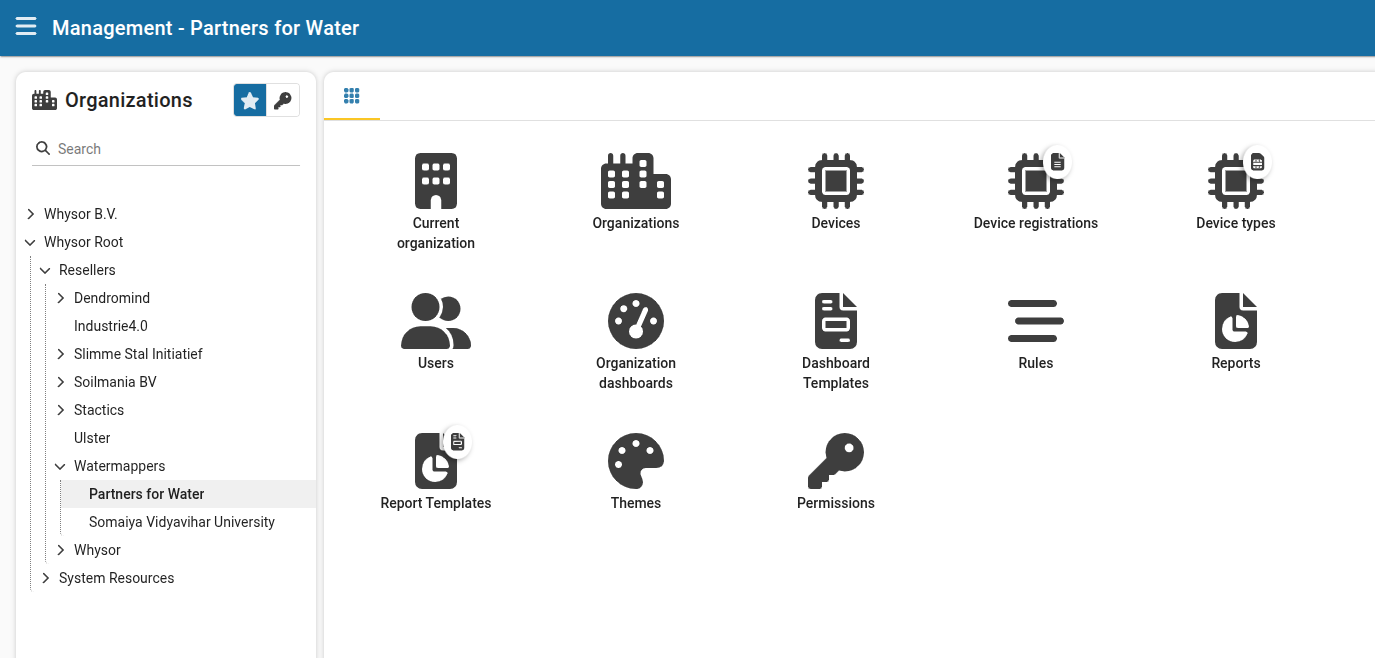
 Go to management at dashboard.watermappers.com/#/management

2026-09-17_10-37.png

Step 2
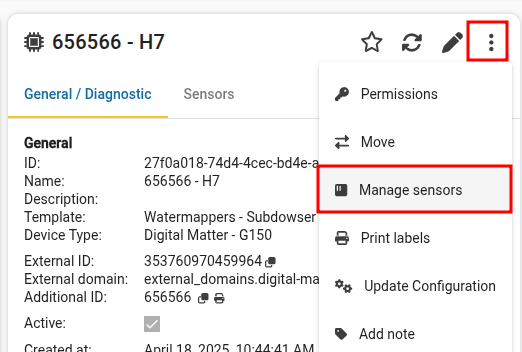
 Select a device and click "Manage sensors".

2026-09-17_10-52.png

Step 3
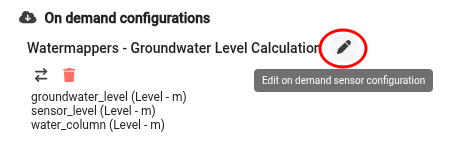
 Click the pencil to edit the on demand sensor configuration.

2026-09-17_10-53.png

Step 4
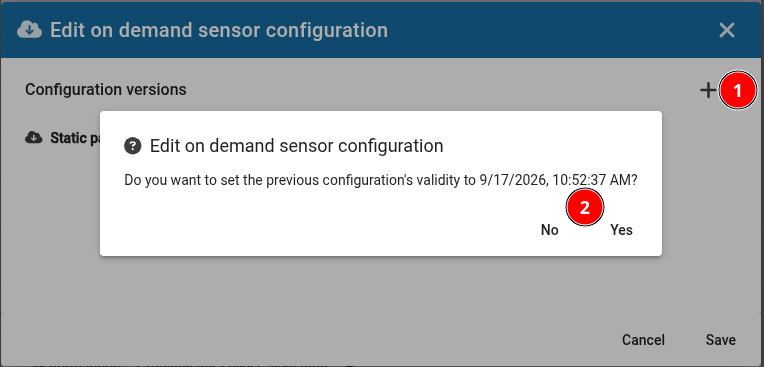
 Click the plus button and select if you want to update the previous configuration's end date.

2026-09-17_10-54.png

Step 5
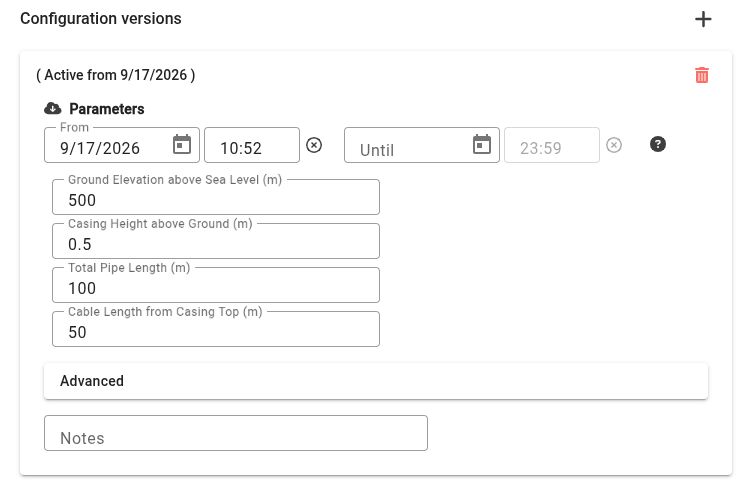
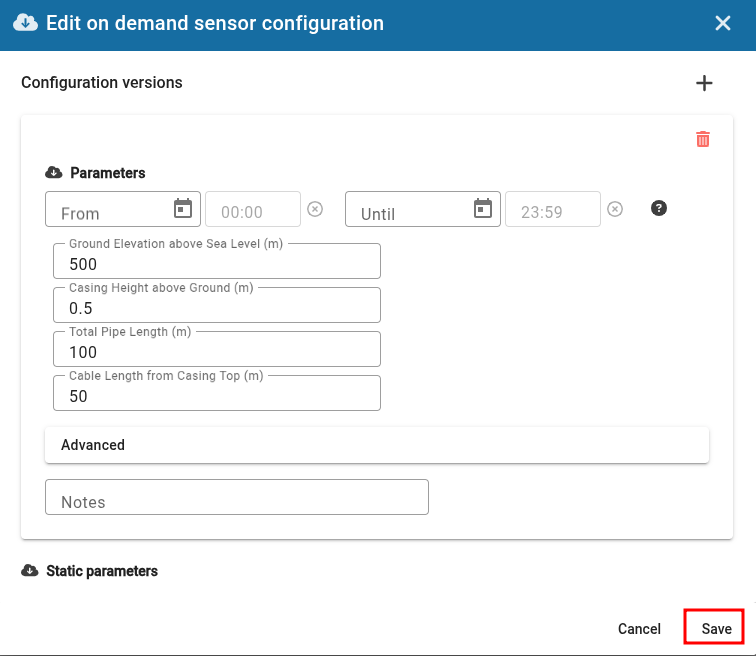
 Set up the configuration as you like, including from and until date, parameters and optional notes (eg: "Sensor moved to different well").

2026-09-17_10-56.png

Step 6
 Click "Save" when you are ready. Then, click "Save" again to exit the dialog.

2026-09-17_11-03.png

Step 7
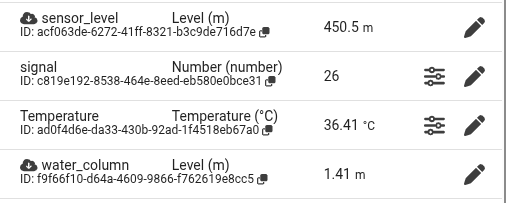
 Your configuration has now been applied!