 |
|
 |
|
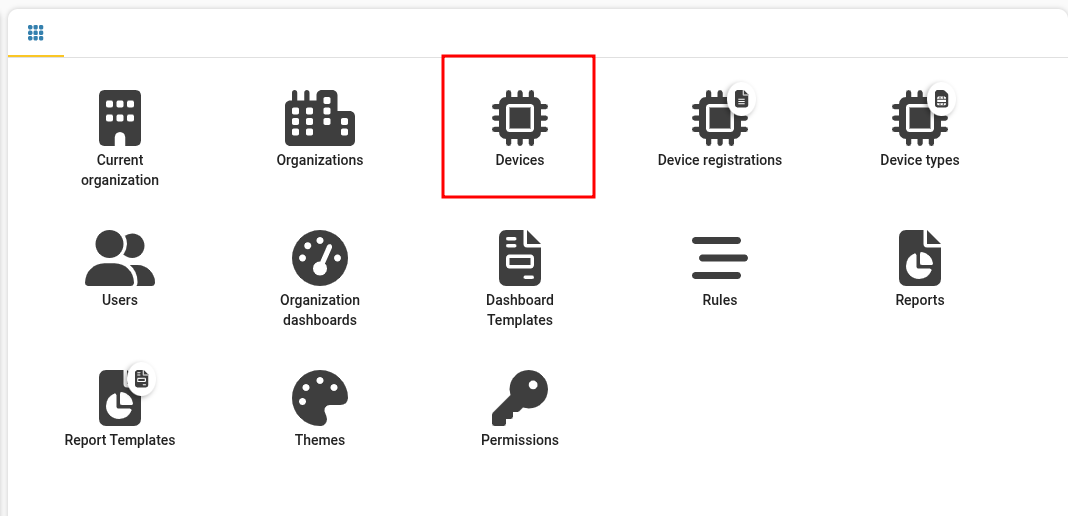 |
Step 3
Click "Devices".
|
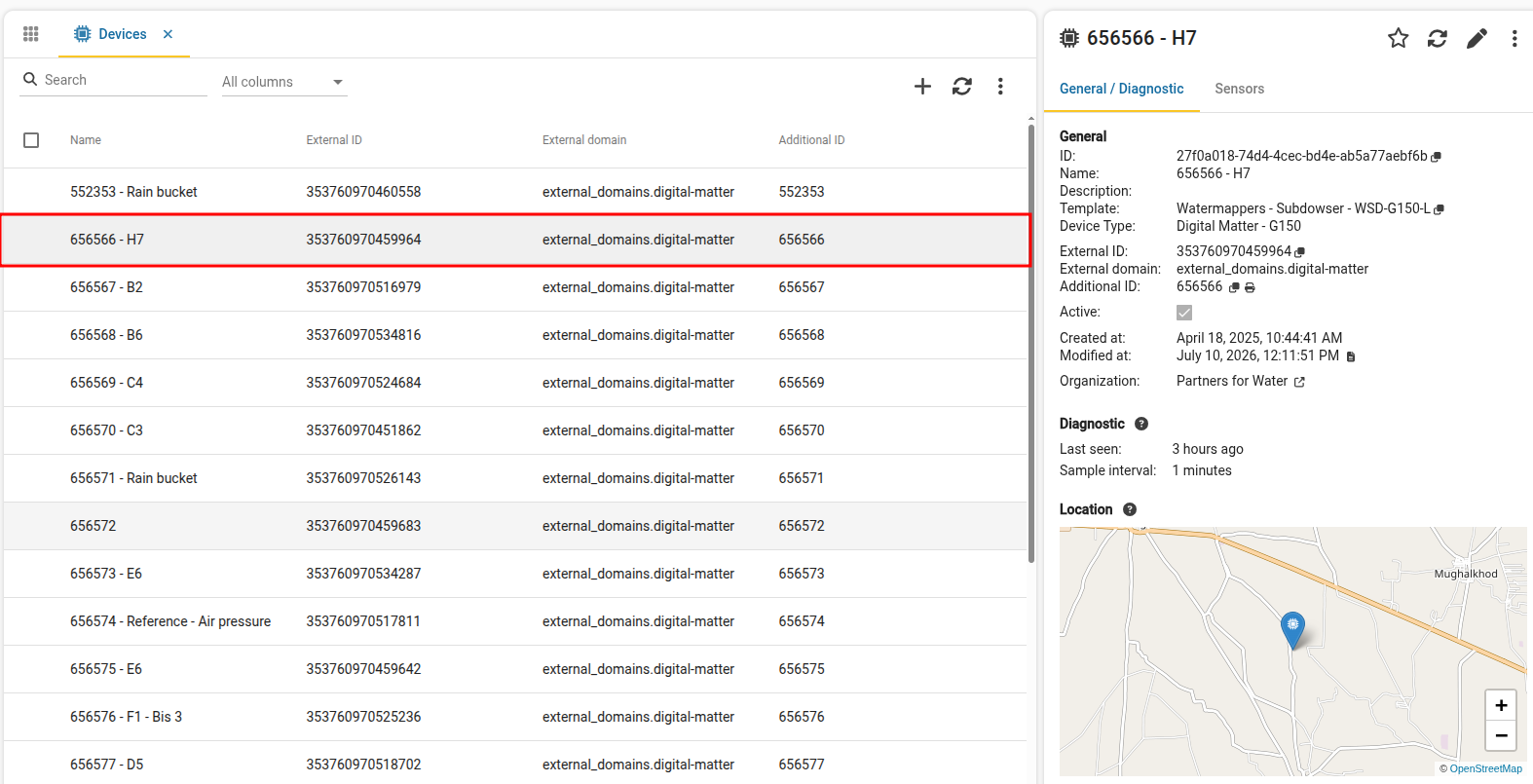 |
Step 4
Select a device in the list.
|
 |
Step 5
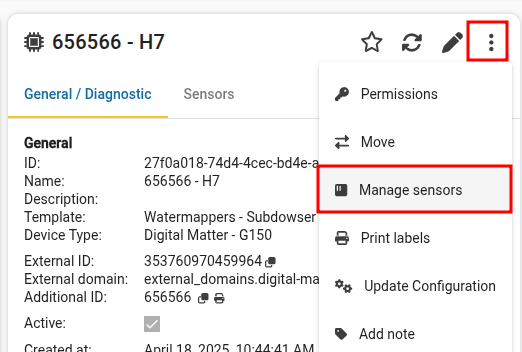
Click more options and select manage sensors.
|
 |
Step 6
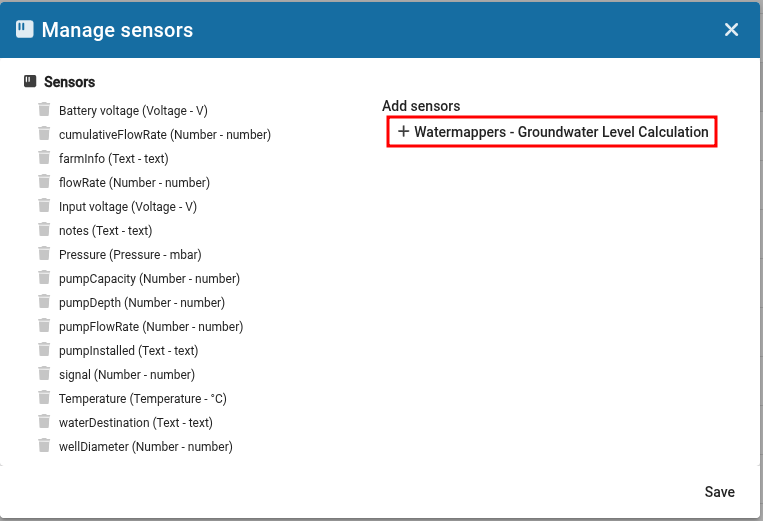
Click the button to add the Groundwater Level Calculation.
|
 |
Step 7
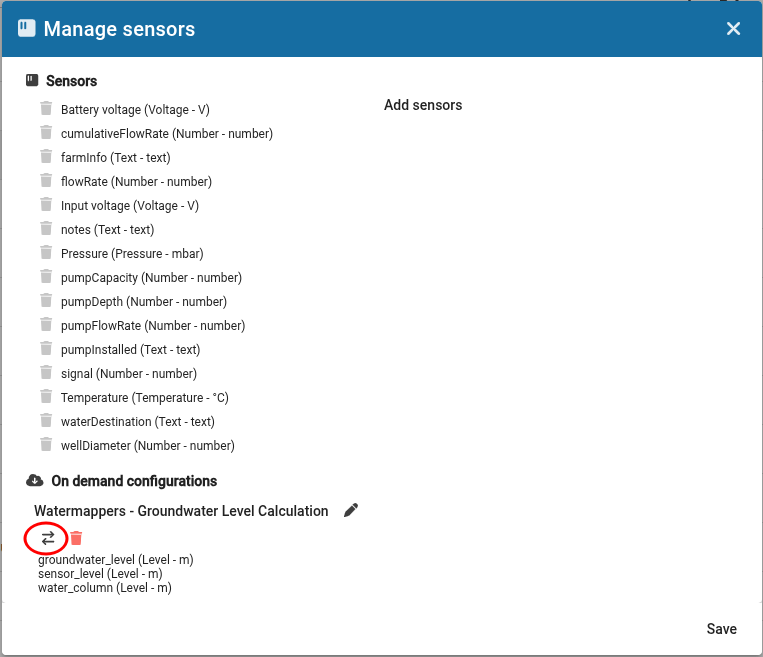
Click the swap button to set up the connection to the reference air pressure sensor.
|
 |
Step 8
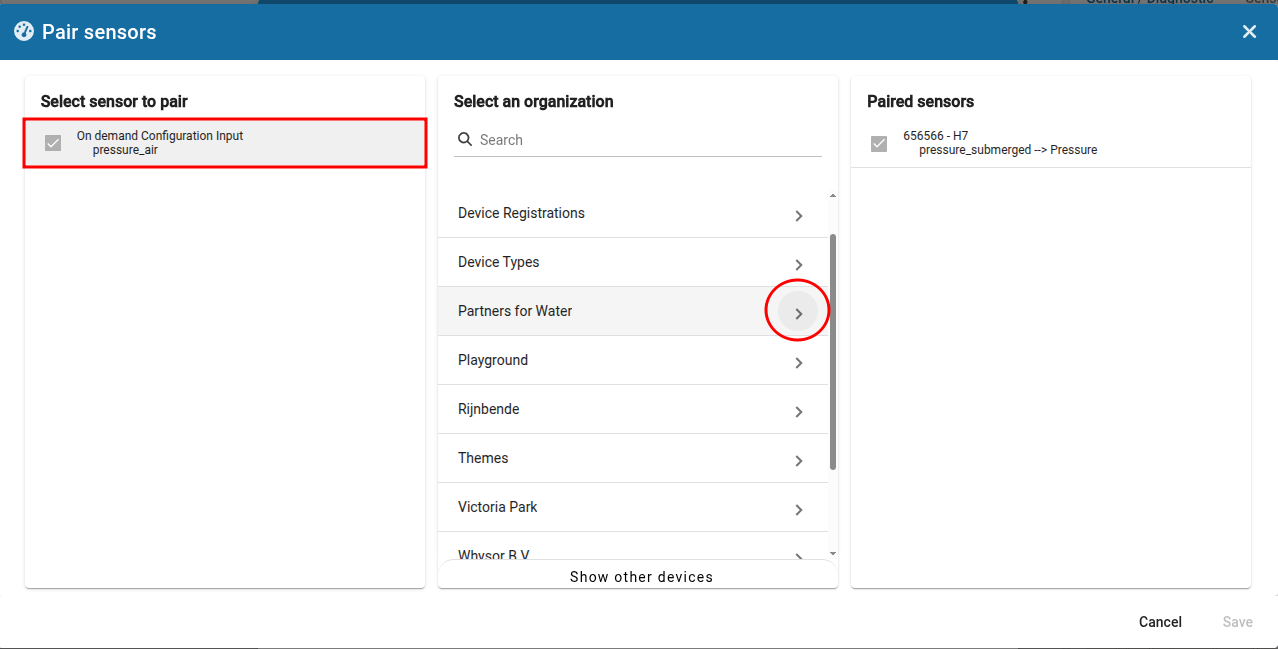
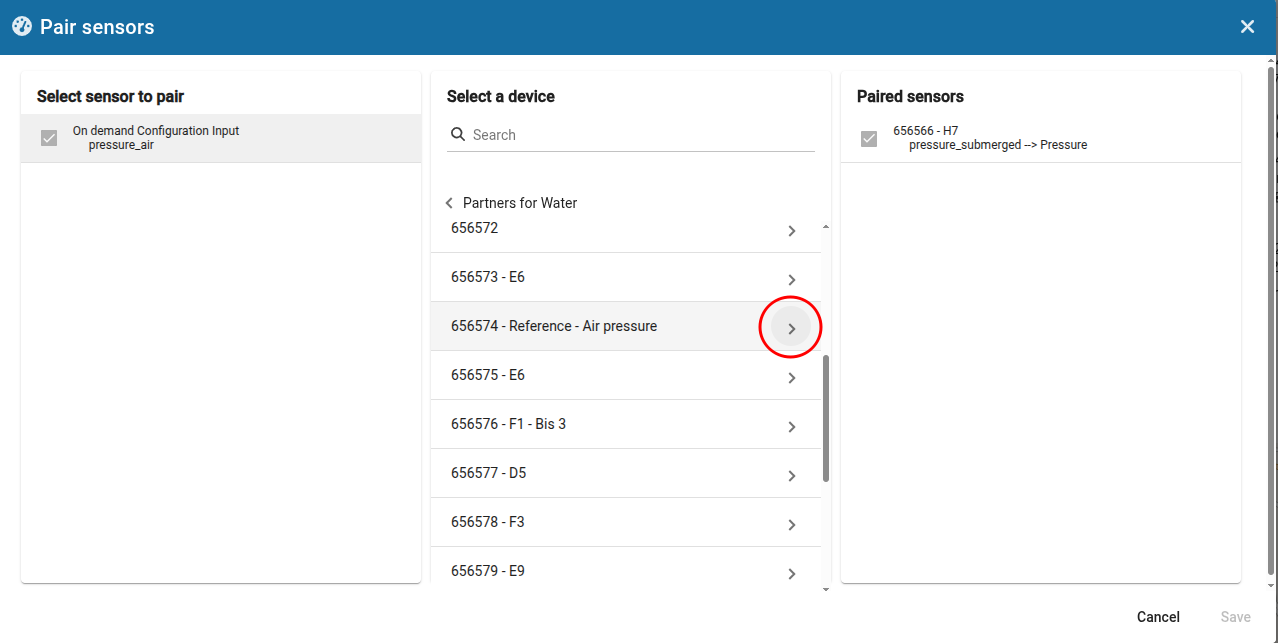
Click the pressure_air column and then select "Partners for Water".
|
 |
Step 9
Find and select the reference air sensor.
|
 |
Step 10
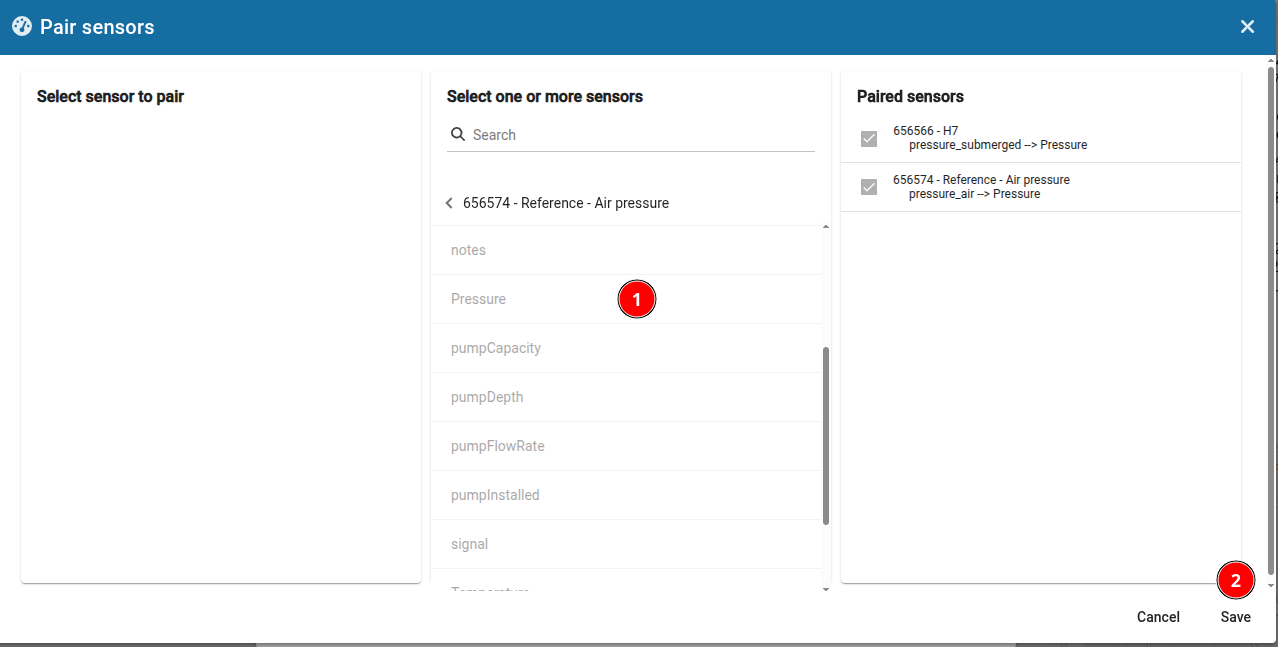
Select the pressure sensor and click "Save".
|
 |
Step 11
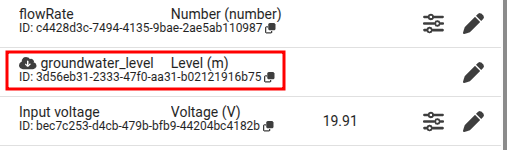
The proxy sensors have now been created.
ADD LINK TO NEXT STEP
|
